
A practical guide for independent U.S. convenience stores with an existing coffee station.
A customer picks up a cup, fills it and reaches the register. The cashier calls it a medium; the customer thought it was a large. Another shopper brings a reusable cup and expects a refill price that does not match the button on the register. A colorful coffee promotion does little to resolve either conversation.
This guide includes a completed fictional price-board example and a matching register check. It helps you improve communication around your existing offer; it does not set your prices or define a refill policy.
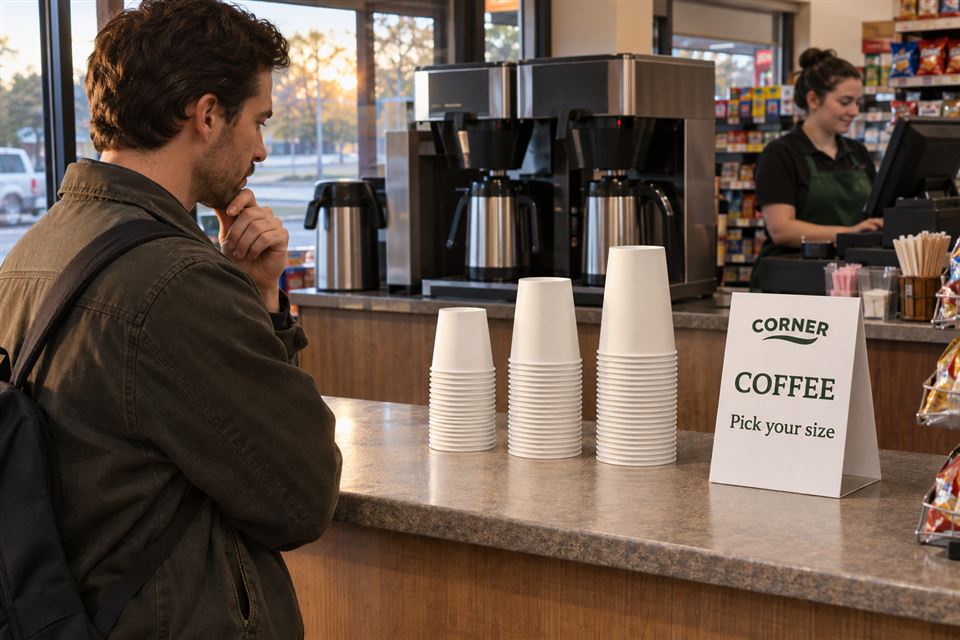
Start with the question behind the interruption
In a public discussion about coffee refill prices, participants describe conflicting charges and uncertainty about cup size. Some say the customer needs to identify the ounces; others report confusion even after doing so. These are unverified individual accounts, not proof of a chain’s current policy, but they show why “large coffee” can be an incomplete description.
Listen for the exact question in your own store. “Which cup is 16 ounces?” points to cup identification. “Is cold brew included?” points to the offer’s scope. “Why is the register different?” points to a mismatch that a new sign alone cannot fix. Keep those problems separate so you solve the one you actually have.
The design firm SLD’s coffee-station guide discusses selection cues and direction toward payment. Clover’s in-store signage advice similarly connects concise messages with placement where questions arise. For a small operator, the useful starting point is a clear answer at the relevant decision.
Build one approved coffee information record
Before designing a sign, open a simple document or spreadsheet and name the person who can approve it. Record the drink category, your actual cup capacities, the customer-facing size names, current prices, register item names and any offer conditions. Verify capacities against your cup supplier’s information rather than guessing from height or comparing with another chain’s cups.
For refills or customer-owned cups, record only the service your store has actually approved: eligible drinks, any size limits, the applicable price and what staff should do when capacity or eligibility is unclear. Keep the store’s established container and hygiene procedures separate from this communication exercise. Do not invent a refill offer just to complete a menu.
Give the record a version and effective date. The cup-area sign, any screen and the cashier’s reference should all draw from it. A customer should not have to reconcile three independently written versions of the offer.
A completed coffee price-board example
The following example is fictional. The sizes and prices illustrate how to organize information; they are not market averages, recommended prices or any chain’s current offer.
CORNER — HOT BREWED COFFEE
Small · 12 fl oz · $1.69
Medium · 16 fl oz · $1.89
Large · 20 fl oz · $2.09
Cold brew and specialty drinks are priced separately.
Using your own cup? Ask our cashier before filling.
Illustrative working record: Counter Coffee v1, November 3, 2026. In this example, the own-cup service and price require staff confirmation; there is no advertised universal refill discount.
The size name, capacity and price appear together. “Hot brewed coffee” identifies what the prices cover. The own-cup line gives a clear next action without promising an unapproved rate. Your store may have a different approved arrangement; replace the example with that arrangement, including conditions that affect the purchase.
If regular and decaf have the same price in your actual system, you can say so. If they do not, show the difference. Do the same for a loyalty-only price or a time-limited offer: the qualifying condition belongs next to the price, where the shopper can use it.
Walk one cup from the sign to the register
Use your approved register training or price-check process without charging a customer for a test. Have one employee choose an actual cup and read the sign as a shopper would. A second employee identifies the corresponding register item. Compare the coffee line-item price; this fictional example does not calculate tax or a transaction total.
| Test in the fictional example | Expected result | What a mismatch tells you |
|---|---|---|
| Select the cup verified as 16 fl oz and choose hot brewed coffee. | The sign says Medium, 16 fl oz, $1.89; the matching register item shows $1.89. | If the register shows $1.99, stop using the conflicting information. Have the authorized person establish the intended price and correct the affected record, display or register entry before resuming the offer. |
| Ask whether the hot-coffee price includes cold brew. | The display identifies cold brew as separately priced; staff use the correct category. | If the answer depends on who is working, the approved record or staff briefing is incomplete. |
| Present a reusable cup of uncertain capacity. | Staff follow the approved own-cup procedure and explain the applicable price before the customer fills it. | If the cashier guesses a size or discount, resolve the rule and reference information before advertising that service. |
Finish by reading the customer-facing wording aloud. If one employee says “large” but the actual cup stack is labeled “medium,” correct the terminology and placement. Repeat the failed check after the change. Keep the date, version, mismatch and correction in the same working record; a checklist marked “done” without the result will not help the next shift.
Give each sign a specific job
The main price display belongs where a shopper can read it before committing to a drink. Place the size information beside the corresponding cup stacks, with an unmistakable relationship between cup and price. Check the view from the actual approach: a snack rack, seasonal display or person standing at the counter can hide a sign that looked clear from behind the register.
A small countertop prompt can identify the coffee area or direct the next step. It should not become a miniature wall menu packed with every flavor, condition and loyalty message. If it cannot hold the information legibly at the intended distance, use a larger display or reduce its job. Keep the information the customer needs to choose visible rather than making a QR code the only route to prices.
Choose a format around how often the message changes
Ordinary paper in a suitable existing holder is a reasonable starting point while you test wording and placement. It is easy to revise and avoids committing to a print run before the offer is stable.
A printed countertop sign can carry a consistent store identity or a stable instruction. Compare custom table tents when a folded paper format suits that location. Keep frequently changing prices on a separately maintained display unless you are prepared to replace the printed signs whenever the information changes.
An existing digital screen may be the more convenient option for frequent daypart or price updates. It still needs an owner, accurate content and a check against the register. A screen does not automatically synchronize with your point-of-sale system simply because both are digital.
What the linked 5 × 7 table tent can do
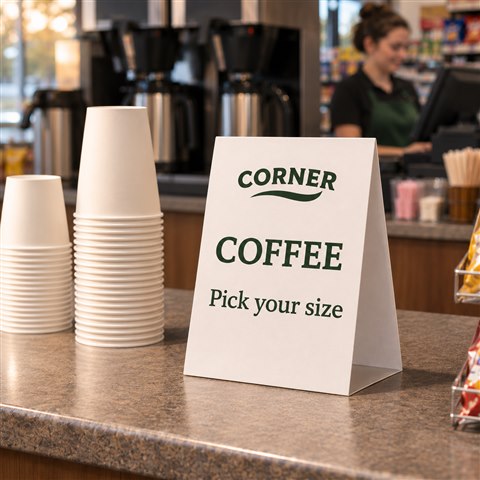
The linked 5 × 7 custom table tent, SKU decentcustom-mm-000008, lists 14pt card stock and full-color printing. The product page identifies glossy as the default finish and notes matte as an alternative requirement to confirm. Its current minimum order is 25; check the page again when ordering.
The example uses the short message “Coffee — Pick your size.” It is a nearby prompt, while the separate price display carries the offer. Print a paper proof at actual size, fold it and inspect it from the shopper’s position before ordering. Check the artwork, reading distance, available counter space and actual finish. No waterproof, wipe-clean or heat-resistance performance is established here; place a paper sign where it suits your normal store setup.
Make updates part of the shift handoff
Name the person responsible for the next price or promotion change. Before it goes live, compare the approved record, all affected displays and the matching register items. Retire the superseded customer-facing message as part of that change, rather than leaving the next shift to discover the conflict during a transaction.
During a short trial, record the exact questions that remain. If shoppers still cannot find the 16-ounce cup, change the identification or placement. If they understand the sign but checkout differs, correct the pricing process. If the message is understood and ordinary paper works well, a custom print order may add little practical value.
Customer questions your team should be ready to answer
These questions follow the size and refill-price concerns in the public discussion above. They are useful topics to check against your own customer conversations, not a measured ranking of the industry’s most frequent questions.
“Why did my reusable cup cost a different amount today?”
First identify the drink category, the verified cup capacity and the approved refill or own-cup option. A different category or eligible size may explain the difference; if those are the same, check the actual charge rather than assuming the customer is mistaken. Do not treat an unfamiliar cup’s appearance as a reliable capacity measurement.
A useful staff response: “Let’s check the drink, cup size and refill option together. I’ll show you the applicable price before you fill it.” If a prior charge appears inconsistent, follow the store’s established correction process. A printed sign cannot decide the correct price when the underlying rule is unresolved.
“Does the refill price include cold brew or specialty coffee?”
Not necessarily. A hot brewed-coffee offer does not, by itself, establish eligibility for another drink category. The answer must come from your store’s actual offer, including any loyalty or time conditions. In the fictional example above, cold brew and specialty drinks are separately priced; that is an example rule, not a universal industry policy.
A useful staff response: name the eligible drink and price, then state the relevant exclusion in the same answer. Put those conditions beside the offer so the shopper can see them before choosing.
“Which cup counts as small, medium or large?”
Use your store’s verified capacity alongside each size name. “Medium, 16 fl oz” is more specific than “the middle cup,” especially for a shopper familiar with another retailer’s terminology. Point to the corresponding stack and match that same description to the register item. If the cup supplier or size changes, update the record and displays together.
The capacity identifies the cup format; it is not a claim that every served drink contains exactly that volume of liquid. Keep any fill instructions consistent with your actual equipment and established service procedure.
Settle the message before ordering the materials
The useful result is a customer who can identify the intended drink and a cashier who can apply the corresponding approved price. Start with the information and the walkthrough. When a stable, readable branded prompt fits your counter, explore custom products from DecentCustom and confirm the specific product requirements before ordering.
The public discussion and guides inform the communication approach. All CORNER scenes, prices and test outcomes are illustrative. No actual store trial, reduction in questions, sales improvement or physical product test is claimed.